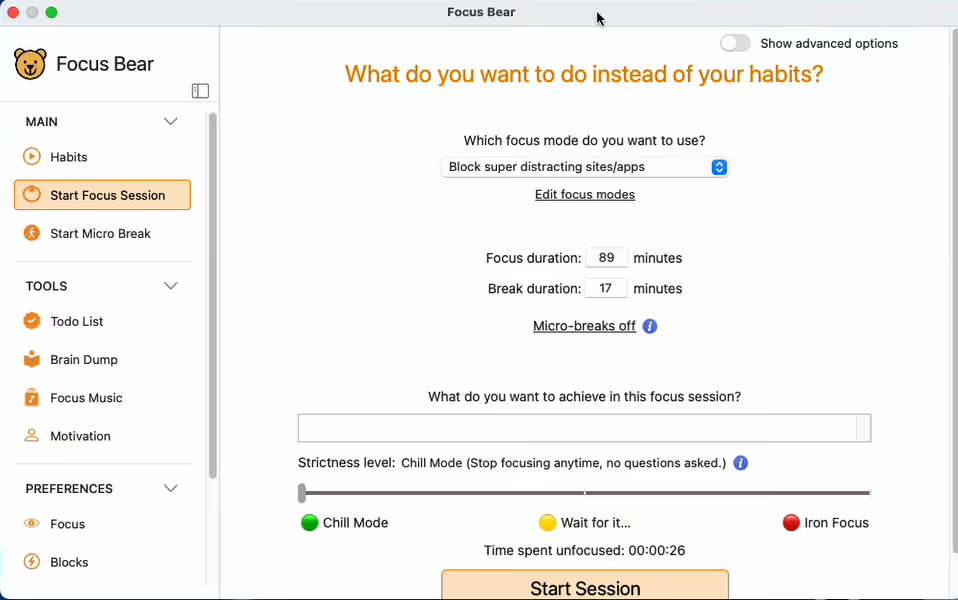
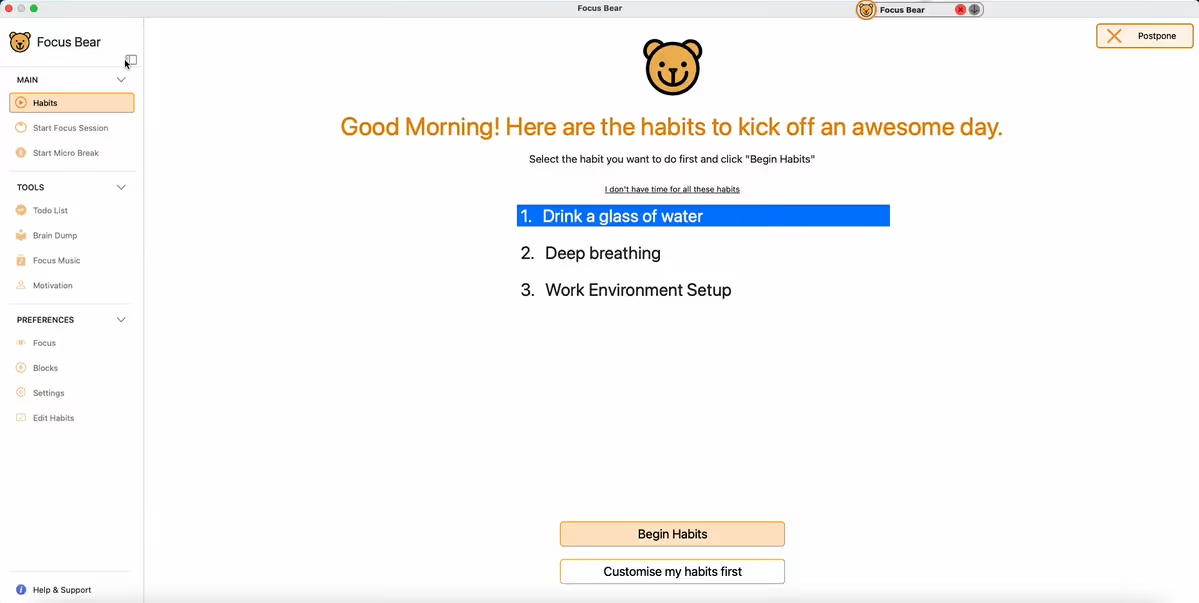
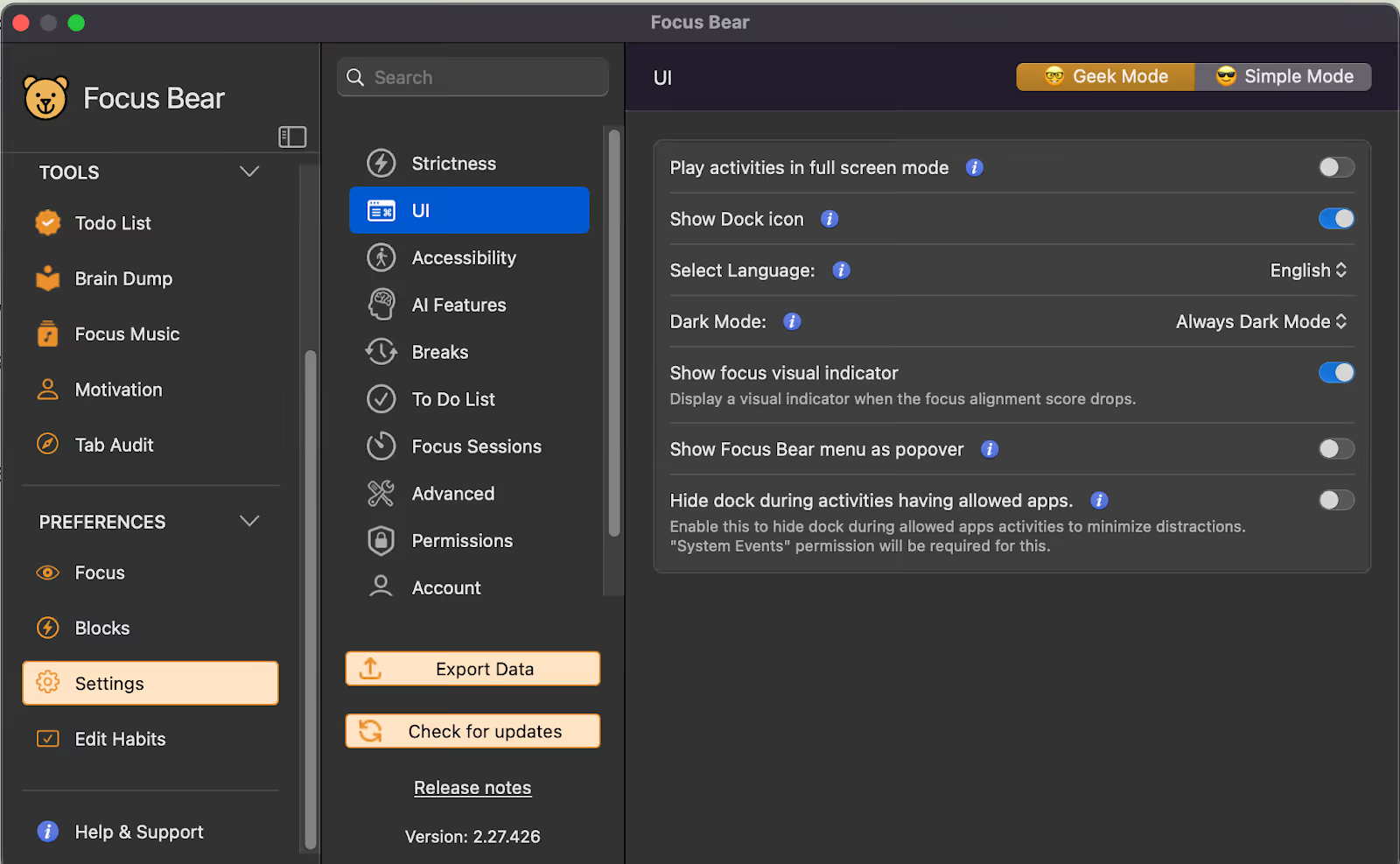
New Main Window with Left Tab Navigation – The main window now has a clean, updated UI with a left tab that lets you easily access Habits, Focus Sessions, Settings, and more — all in one place. This means fewer pop-ups and a smoother, more organized experience when using the app.
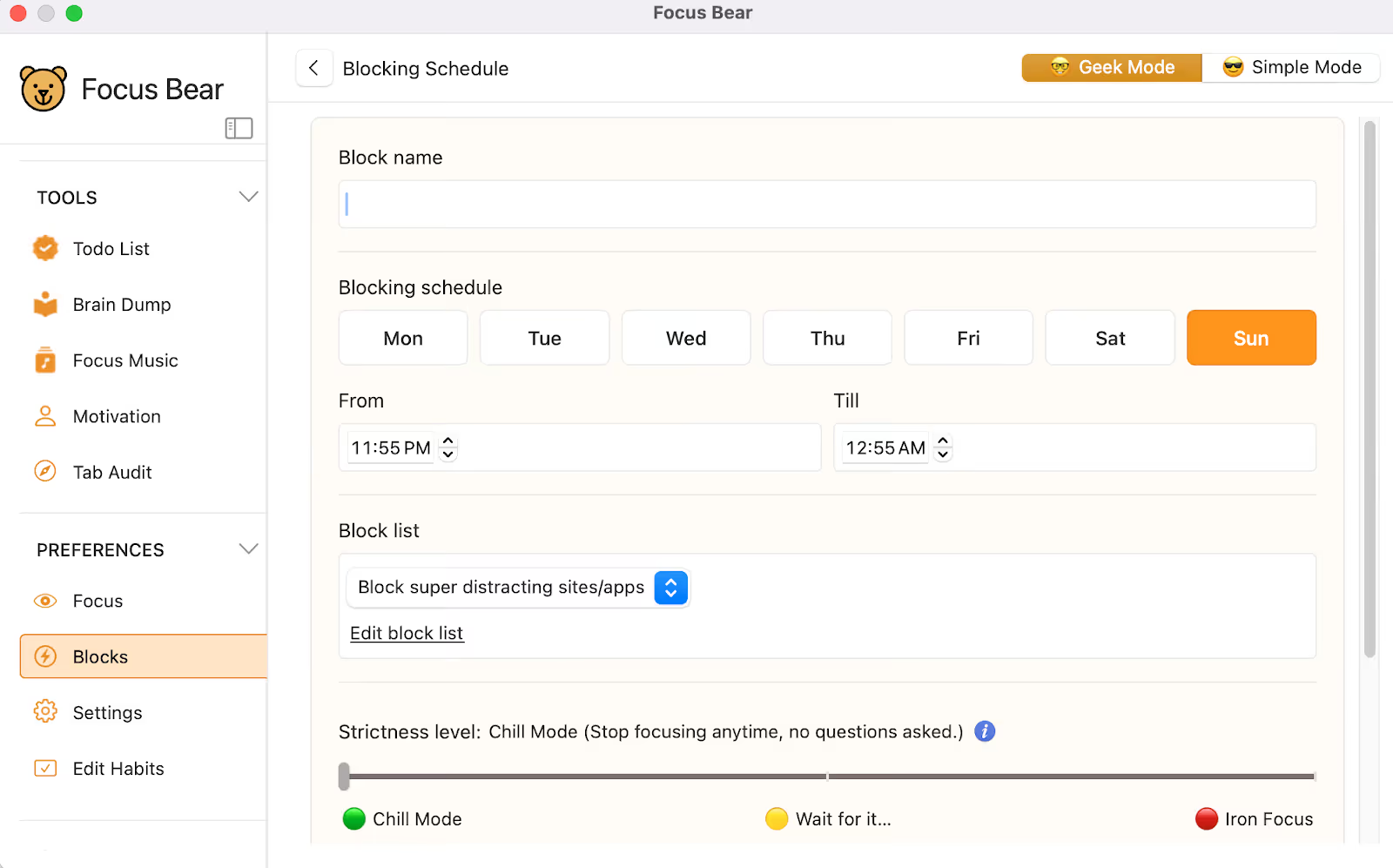
Custom Blocking Schedule – You can now create custom schedules to block specific apps and websites at set times, giving you more control over when distractions are kept out.
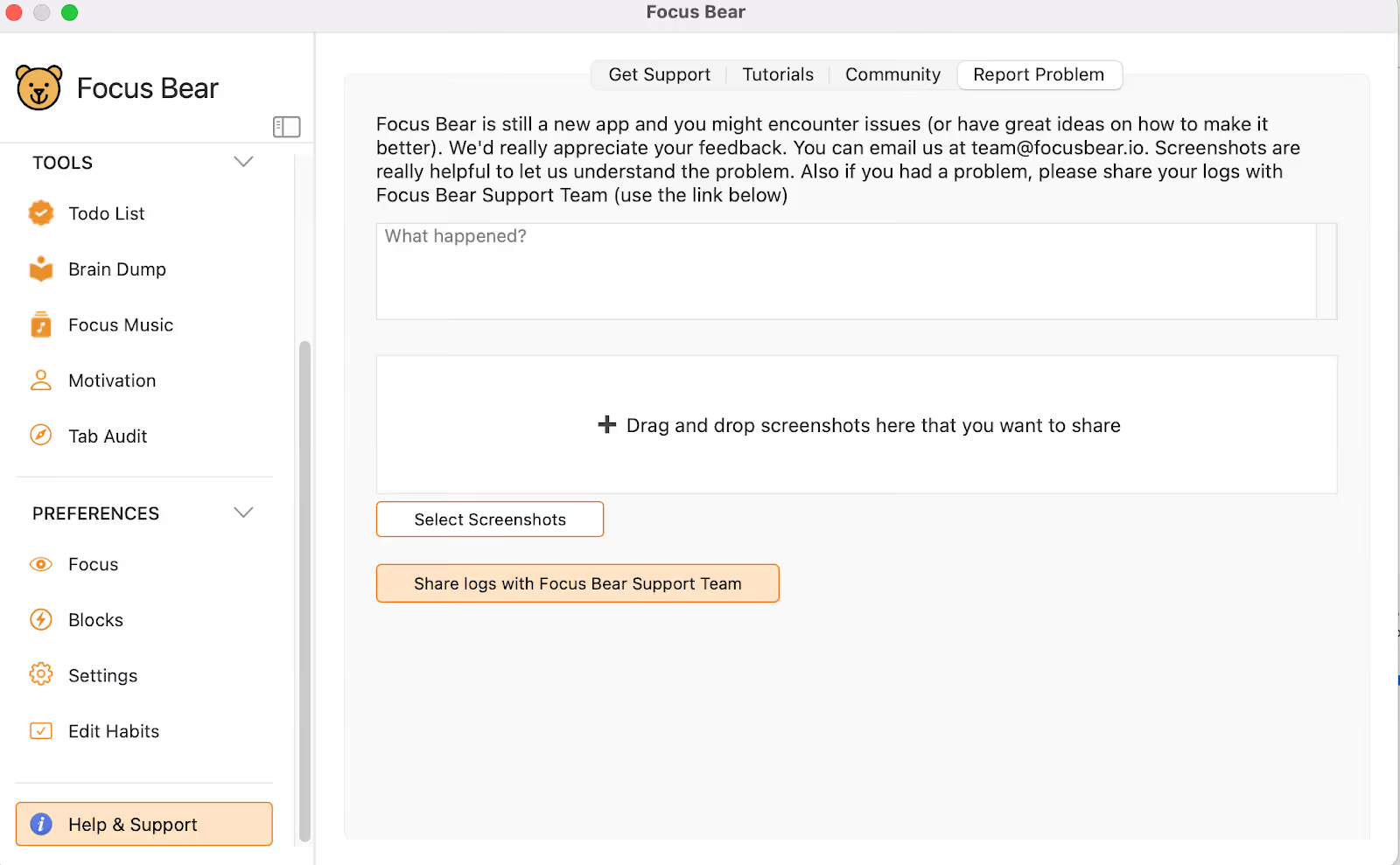
Attach Screenshots to Bug Reports – You can now include screenshots when reporting a problem. This makes it easier to show exactly what’s happening and helps the team resolve issues faster.
Improvements:
More Personalized Focus Session Feedback – The end-of-session message now changes based on how focused you were during your session. You’ll get encouraging messages like “You crushed it!” for high focus scores and gentle nudges to improve when distractions creep in. This makes your session reports more meaningful and motivating.
Remembers Your Last Focus Duration – You no longer need to set your focus session time every time you start a session. The app now automatically uses your last selected duration, making it quicker and easier to jump right into focus mode.
Longer Countdown for Website Blocking – New users will now see a 60-second countdown before website blocking kicks in. This gives more time to notice the timer and adjust if needed, making the feature easier to understand and use.
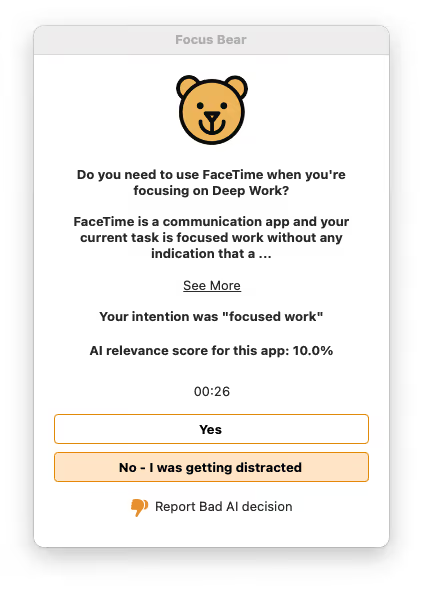
Cleaner AI Reason Display – The AI reason section is now collapsed into a neat accordion view with only the first three lines visible. You can click to expand and read more, so long text no longer clutters the screen but is still easy to access when you need it.
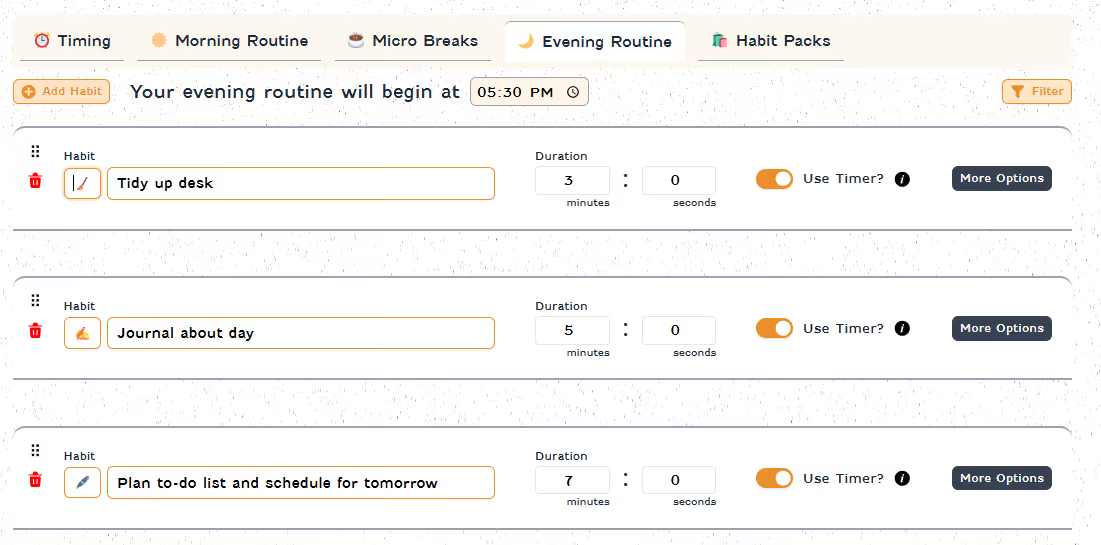
Custom Icons for Habits – You can now add an icon next to each activity or habit, giving your routine a more personal and visually organized feel. It’s a simple way to make your habits easier to recognize at a glance.
Clearer Wording for Blocking Features – We’ve simplified labels and navigation to make blocking settings easier to find and understand.
Helpful Tooltips on Blocking Schedule Screen – We’ve added tooltips to some components in the new Blocking Schedule feature. These quick explanations make it easier to understand what each option does, so you can set up your blocking exactly how you want it.
Smarter Blocking Behavior During Breaks and Meetings – When a custom blocking schedule is active, your “Do not block super distracting sites during breaks/meetings” setting will now be applied correctly, so you get the flexibility you’ve set without interruptions.
Better Support for Smaller Screens – The Focus Mode end screen now fits properly on 13-inch or smaller displays.
Stable Window Size – The app window no longer changes size when switching tabs.
Improved Dark Mode Menu – The left menu has been polished for dark mode, making the buttons look cleaner and more consistent.
Bug Fixes
Fixed bug with postponing custom habits.
Resolved several issues with full-screen integration, custom habit routines, and micro breaks.
Fixed crash when resizing the app in full-screen mode.
Fixed password box–related issues.
Fixed blocking not working even when permissions were enabled.
Fixed issue where the new UI unexpectedly went full screen.
Fixed layout issue causing the Timing section in the Blocking Schedule to appear compressed.
Fixed missing “Start Micro Break” option in Simple Mode.
Fixed timer cutoff issue in the allowed app popup.
Fixed issue with breaks popup display.
Fixed inaccurate “time remaining” display for Focus Mode.
Fixed multi-screen issues and improved scaling on smaller high-DPI screens, ensuring all windows display correctly.
Fixed issue where the habits screen turned white after waking the device from sleep.
Fixed issue where the break popup appeared multiple times and postpone didn’t work.
Fixed blank screen issues in Simple Mode when postponing routines or focus summaries, along with other related navigation bugs.
Fixed “Fix it” button not updating blocking permission status after completion. Fixed bug when deleting a custom blocking schedule.
Fixed bug when switching from Office Mode to WFH Mode during the break start screen.
Fixed issue allowing postponing after cutoff time without a password.
Fixed custom blocking breaking after 12:00.
Fixed issue where editing an active custom schedule caused it to break and not deactivate properly.